
InmateSales
Combined Public Communication LLCCommunication
3.7502.00 Reviews
- Version
- 1.10.1-b605150303
- Installs
- 500.00K
- Age Rating
- Everyone
Screenshots
Our Review of InmateSales
 Analysis by Appyee
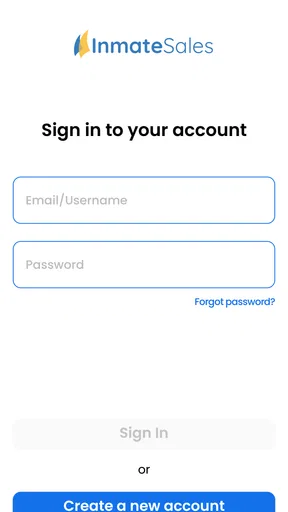
Keeping in touch with someone in a correctional facility often involves more steps than an ordinary message or payment app. That is where InmateSales fits. I approached it as a practical communication companion rather than a general-purpose social app, and its purpose is quite focused: it lets users manage an InmateSales account and make deposits at participating facilities. That narrow role is important, because the experience depends heavily on whether the facility you need is supported.
The app is free, aimed at everyone, and belongs to the communication category. It was developed by Combined Public Communication LLC, and it has reached more than five hundred thousand installs with an average rating of 3.7 from roughly fifteen hundred ratings. Those figures suggest a real user base, but also a mixed experience, so I would not treat the app as something to install without first understanding what it can and cannot do for your situation.
How InmateSales feels in everyday use
I found that the biggest adjustment is not learning another app, but fitting account tasks into a communication routine that may already feel demanding. I’d use a quiet moment to check the account and confirm what needs attention, rather than letting a deposit become an urgent, distracted task. That rhythm makes it easier to approach the conversation flow with a clear purpose.
A focused tool rather than a complete communication service
The first thing I noticed about this app’s role is how specific it is. It is not trying to replace your regular text messages, email, video-call software, or banking app. Its value comes from bringing account management and deposits into one place for certain correctional facilities. If you already use InmateSales for a person in custody, having a dedicated mobile entry point can be more convenient than repeatedly searching for the service in a browser.
That focus also creates the main limitation. The app is useful only within the InmateSales system and only where the relevant facility participates. A person looking for broad communication features, ordinary chat, contact syncing, or a general money-transfer service will probably find a conventional messaging or financial app more suitable. I would see this as a companion to a specific account, not as a universal communication solution.
Before relying on it, I would confirm the facility and the intended recipient inside the service. That small check can prevent a frustrating installation experience where the app opens correctly but does not help with the particular institution or account you need. In this category, compatibility is more important than having a long feature list.
What the app is like when speed matters
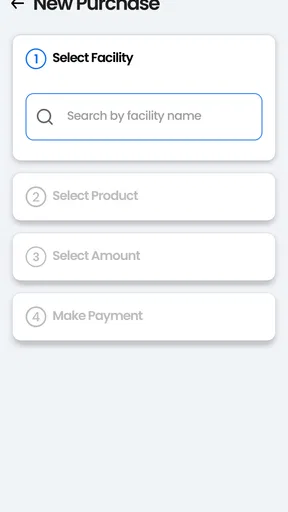
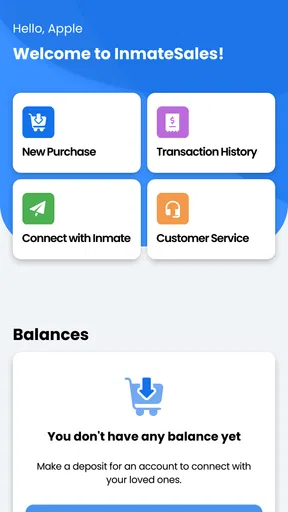
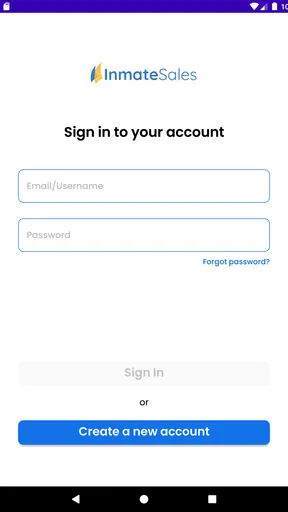
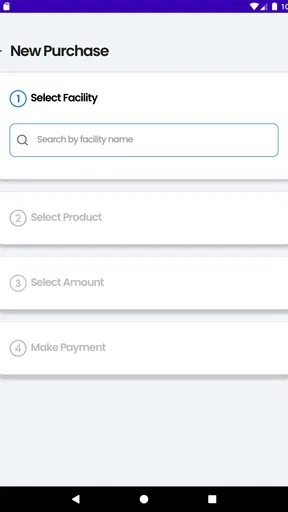
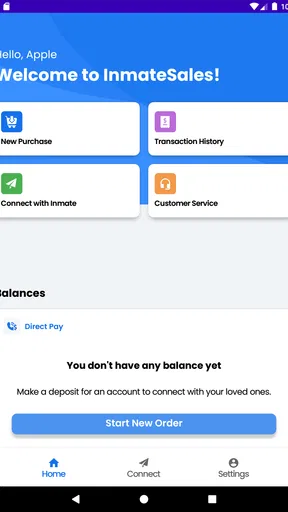
For a focused account tool, I expect the basic path to feel direct: open the app, reach the account area, and complete the required deposit steps without wandering through unrelated sections. InmateSales benefits from having a narrow purpose, because there is less reason for the interface to feel crowded with entertainment or social features.
Still, I would separate the app’s own responsiveness from the time needed for an account action to finish. A screen can open quickly while an account update or deposit still depends on the service handling the request. That distinction matters when you are trying to send funds before a deadline or checking whether a previous action has appeared. I would avoid tapping repeatedly just because the result is not immediate; duplicate attempts are a poor habit in any payment-related workflow.
My practical approach is to use a stable connection, keep the app open until the action has clearly completed, and check the account state before trying again. This is one of the less obvious habits that can save time: treat the confirmation or updated account view as the endpoint, rather than assuming that a single tap proves everything went through.
Busy moments and careful deposit habits
The most demanding use case is likely to be a period when many people are checking accounts or attempting deposits at once. I cannot responsibly promise that every transaction will feel instant under those conditions, so I would plan important deposits with some breathing room instead of waiting until the last possible moment.
Heavy use also exposes a difference between a simple lookup and a financial action. Looking at an account is generally a lighter task than entering details, submitting a deposit, and waiting for the service to reflect the result. If you are using the app during a rushed family situation, slow down at the review stage and verify the intended facility and recipient before submitting. The extra pause is worthwhile because speed is not useful if it causes an avoidable mistake.
Another practical tip is to keep a private note of when you initiated an important action and what account it concerned. I am not suggesting that the app replaces your own records; rather, a short personal record gives you something to compare against if the account view takes time to update or you need to retrace your steps. This is especially helpful for users who manage support for more than one person.
Reliability, recovery, and what to do when something feels stuck
The app’s rating of 3.7 indicates that users have not had a universally smooth experience. A rating alone cannot explain every complaint, but it is a useful reminder to keep a backup plan for time-sensitive communication or deposits. I would not make this the only way I manage an important account if a missed action could create serious difficulty.
If the app appears stuck, my first response would be simple: stop repeated submissions, check whether the account information has changed, and reopen the app only after noting what I already attempted. Repeating a deposit because the screen did not refresh can create confusion. A calmer recovery process is safer than treating every delay as a failed transaction.
It is also worth distinguishing an app problem from an account or facility issue. If the application launches but a particular facility or account does not behave as expected, reinstalling may not solve the underlying problem. In that situation, checking the account details carefully and using the service’s available support route is more sensible than endlessly clearing and reinstalling the application.
For ordinary recovery, I would make sure I know the account credentials before changing devices or removing the app. A reinstall can refresh local problems, but it does not replace the need to remember the correct account information. This is a small preparation step that becomes valuable when the app is needed urgently.
Resource demands and older devices
InmateSales supports Android devices running version 8.0 or later, which makes it available to people who do not own a recent phone. That is a practical advantage for a utility app, especially when users may keep an older device for communication and household tasks. The current version is 1.10.1-b605150303, so I would keep the installed version current when possible rather than assuming an old build will behave the same way.
Because this is an account and deposit application rather than a graphics-heavy game or media editor, I would expect its everyday resource needs to be modest. Even so, I would avoid turning that expectation into a guarantee about battery, storage, or memory use on every phone. Older devices can behave differently when storage is nearly full, the operating system is under pressure, or the connection is unstable.
If the app feels sluggish, I would first check the basics: available storage, background activity, and connection quality. Closing unrelated apps may help a phone that is already struggling, but it will not fix a facility or account issue. The useful distinction is this: device cleanup can improve opening and navigation, while service-side delays require patience or support rather than more aggressive phone maintenance.
Users on older Android hardware should also avoid making a critical deposit while the phone is performing a system update or switching between weak connections. A quiet moment on a reliable network is a better setting for account work than a crowded commute with the device constantly changing signals.
How it compares with browser access and ordinary alternatives
The closest alternative is likely using InmateSales through a mobile browser, assuming the same service is available there. A browser can be preferable if you rarely use the service, do not want another installed app, or need to work from a computer. The app makes more sense for someone who returns to the same account regularly and wants a dedicated place on the phone.
Compared with ordinary messaging apps, the difference is fundamental. Standard chat tools are designed for conversations between everyday contacts, while this app is tied to account management and deposits at participating facilities. A regular messaging app may be better for family discussion, photos, group coordination, and informal updates, but it cannot automatically replace a facility-specific deposit workflow.
Likewise, a general payment app may be more flexible for everyday transfers, yet flexibility is not the same as compatibility. If your intended facility uses InmateSales, the specialized service may be the relevant option even if a broader financial app feels more polished. If the facility does not use it, installing the app will not make a general transfer possible.
This is why I would choose based on the task rather than the app’s category label. For recurring facility-related account actions, the focused tool is the logical choice. For general communication or unrestricted payments, I would choose the ordinary alternative and keep this app only if its specific service is required.
Who will benefit most from it
I think InmateSales is best suited to relatives, friends, or other authorized users who already have a reason to manage an InmateSales account. It can reduce the friction of returning to a specialized service, particularly for someone who handles deposits from a phone rather than a desktop computer.
It may also help people who manage several responsibilities around a correctional-facility account and prefer a dedicated app instead of keeping a browser tab or bookmark. The advantage is organizational as much as technical: a separate app can make it easier to remember which service is used for this particular task.
On the other hand, I would skip it if you are only looking for a normal messaging platform, if you need a broad digital wallet, or if your facility is not part of the supported system. I would also hesitate to rely on it as the sole method for a time-critical action until I had completed a normal, non-urgent account workflow and understood how quickly updates appeared for me.
Small workflow improvements that make a difference
My first recommendation is to verify the recipient and facility before entering a deposit. Specialized services can involve similar names or multiple accounts, and a careful review is more valuable than rushing through a familiar screen. This is a concrete trade-off: the app may make repeat access easier, but convenience can encourage users to stop checking details.
Second, separate “the app opened” from “the transaction finished.” After submitting an action, look for the account state or confirmation that tells you the service accepted it. If the display does not change, do not immediately submit again. Record what you did, wait, and then investigate through the appropriate account or support channel.
Third, use the app at a time when you can stay with the process. A deposit made while distracted by a poor connection, low battery, or a phone call is more likely to leave you unsure of the result. The app’s focused design is helpful, but it cannot remove the need for attention when money and recipient details are involved.
Finally, keep your login information secure and avoid treating a shared phone as a harmless convenience. Because the app deals with an account and deposits, I would use a personal device where possible and lock the phone. That is not a special feature claim; it is simply sensible handling for a communication service connected to financial actions.
My performance verdict
After looking at the app as a daily utility, I see InmateSales as a specialized and potentially useful tool rather than a polished all-purpose communication platform. Its strongest point is convenience for people who already need the InmateSales system. Its weaker points are the dependence on participating facilities, the possibility of delays around account actions, and the mixed user satisfaction reflected in its average rating.
The free price removes one barrier to trying it, and the Everyone age rating makes its intended audience broad. The Android requirement of version 8.0 or later also keeps it within reach of many older phones. Those are practical positives, but they do not change the central question: does the person or facility you need actually use this service?
My recommendation is straightforward. Install it if you have a confirmed InmateSales account, need to make deposits at a participating facility, and prefer handling that responsibility from your phone. Use it carefully for important actions, allow time for updates, and keep a browser or support-based fallback in mind. If your goal is ordinary messaging, general payments, or a service that works independently of facility participation, another app will be a better fit.
In short, InmateSales is most valuable when its narrow purpose matches your exact situation. I would recommend it to the people who need that purpose, with realistic expectations about speed and recovery rather than assuming every account action will be immediate. For that audience, the dedicated access can be worthwhile; for everyone else, its specialized design is more limitation than advantage.
Verdict
Strengths of InmateSales
- Makes approved inmate communication more convenient for families.
- Supports scheduling and managing visits from a mobile device.
- Can reduce waiting time compared with arranging visits by phone.
- Keeps visit-related information organized in one place.
- May offer facility-specific services through a single app.
Limitations of InmateSales
- Availability and features vary significantly by correctional facility.
- Some services may require separate fees or account deposits.
- Users may need approval before contacting an inmate.
- Technical issues can disrupt scheduled visits or communications.
- The interface may feel confusing for first-time users.
Similar Picks in This Category
View All
Google Messages
Google LLC4.6

Gmail
Google LLC4.1

Google Meet
Google LLC4.4

Google Chrome
Google LLC4.1

WhatsApp Messenger
WhatsApp LLC4.6

Carrier Services
Google LLC4.2
Frequently Asked Questions
What is InmateSales and what can I use it for?
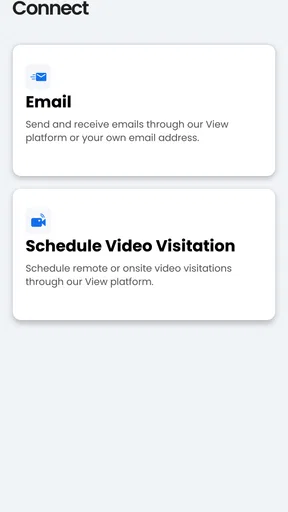
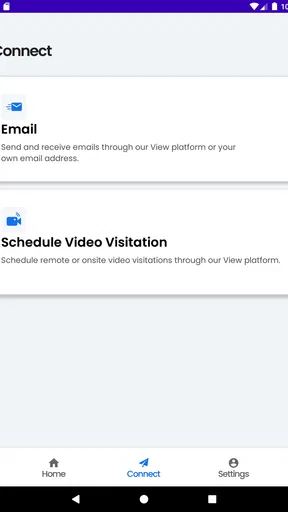
InmateSales is a communication and account-management service designed to help approved contacts stay in touch with incarcerated individuals. Depending on the facility and available services, users may be able to manage messaging, video visits, phone-related features, photos, or other approved communications. The exact functions are not identical everywhere, so you should confirm that the correctional facility you need is supported before creating an account or adding funds.
Is InmateSales available for every jail or prison?
No. InmateSales availability depends on the correctional facility, its service provider agreement, and the communication features permitted by that institution. Before downloading or registering, search for the specific jail or prison in the app or on the official service website. If the facility is not listed, some features may be unavailable, or you may need to use a different approved provider designated by the institution.
How do I create an account and connect with an incarcerated person?
You generally need to register with your personal information, verify your email address or phone number, and select the relevant correctional facility. You may then need to submit the incarcerated person’s name, identification number, or other required details. Approval procedures vary by facility, and some accounts or contacts may require identity verification before messaging, calls, deposits, or visits become available.
Does using InmateSales cost money?
Creating an account may be free, but many services offered through InmateSales can involve charges. Depending on the facility, you might pay for messages, video visits, phone services, photos, deposits, or other communication options. Prices, taxes, transaction fees, refund rules, and minimum balances can vary. Review the total cost shown before confirming a purchase, and check the facility’s policies for additional restrictions.
What should I know about privacy, monitoring, and message delivery?
Communications handled through InmateSales are normally subject to the rules of the participating correctional facility. Messages, calls, video visits, and uploaded content may be monitored, recorded, delayed, rejected, or reviewed before delivery. Do not assume conversations are private, and avoid sending prohibited material or sensitive information. Delivery times can also vary because facility schedules, security checks, outages, and approval procedures may affect availability.
